b744fb486b
69 Commits
| Author | SHA1 | Message | Date | |
|---|---|---|---|---|
 Patrick Walton
|
b7bcd313ca
|
Cluster light probes using conservative spherical bounds. (#13746)
This commit allows the Bevy renderer to use the clustering infrastructure for light probes (reflection probes and irradiance volumes) on platforms where at least 3 storage buffers are available. On such platforms (the vast majority), we stop performing brute-force searches of light probes for each fragment and instead only search the light probes with bounding spheres that intersect the current cluster. This should dramatically improve scalability of irradiance volumes and reflection probes. The primary platform that doesn't support 3 storage buffers is WebGL 2, and we continue using a brute-force search of light probes on that platform, as the UBO that stores per-cluster indices is too small to fit the light probe counts. Note, however, that that platform also doesn't support bindless textures (indeed, it would be very odd for a platform to support bindless textures but not SSBOs), so we only support one of each type of light probe per drawcall there in the first place. Consequently, this isn't a performance problem, as the search will only have one light probe to consider. (In fact, clustering would probably end up being a performance loss.) Known potential improvements include: 1. We currently cull based on a conservative bounding sphere test and not based on the oriented bounding box (OBB) of the light probe. This is improvable, but in the interests of simplicity, I opted to keep the bounding sphere test for now. The OBB improvement can be a follow-up. 2. This patch doesn't change the fact that each fragment only takes a single light probe into account. Typical light probe implementations detect the case in which multiple light probes cover the current fragment and perform some sort of weighted blend between them. As the light probe fetch function presently returns only a single light probe, implementing that feature would require more code restructuring, so I left it out for now. It can be added as a follow-up. 3. Light probe implementations typically have a falloff range. Although this is a wanted feature in Bevy, this particular commit also doesn't implement that feature, as it's out of scope. 4. This commit doesn't raise the maximum number of light probes past its current value of 8 for each type. This should be addressed later, but would possibly require more bindings on platforms with storage buffers, which would increase this patch's complexity. Even without raising the limit, this patch should constitute a significant performance improvement for scenes that get anywhere close to this limit. In the interest of keeping this patch small, I opted to leave raising the limit to a follow-up. ## Changelog ### Changed * Light probes (reflection probes and irradiance volumes) are now clustered on most platforms, improving performance when many light probes are present. --------- Co-authored-by: Benjamin Brienen <Benjamin.Brienen@outlook.com> Co-authored-by: Alice Cecile <alice.i.cecile@gmail.com> |
||
|
JMS55
|
9cc7e7c080
|
Meshlet screenspace-derived tangents (#15084)
* Save 16 bytes per vertex by calculating tangents in the shader at runtime, rather than storing them in the vertex data. * Based on https://jcgt.org/published/0009/03/04, https://www.jeremyong.com/graphics/2023/12/16/surface-gradient-bump-mapping. * Fixed visbuffer resolve to use the updated algorithm that flips ddy correctly * Added some more docs about meshlet material limitations, and some TODOs about transforming UV coordinates for the future.  For testing add a normal map to the bunnies with StandardMaterial like below, and then test that on both main and this PR (make sure to download the correct bunny for each). Results should be mostly identical. ```rust normal_map_texture: Some(asset_server.load_with_settings( "textures/BlueNoise-Normal.png", |settings: &mut ImageLoaderSettings| settings.is_srgb = false, )), ``` |
||
|
Patrick Walton
|
2ae5a21009
|
Implement percentage-closer soft shadows (PCSS). (#13497)
[*Percentage-closer soft shadows*] are a technique from 2004 that allow shadows to become blurrier farther from the objects that cast them. It works by introducing a *blocker search* step that runs before the normal shadow map sampling. The blocker search step detects the difference between the depth of the fragment being rasterized and the depth of the nearby samples in the depth buffer. Larger depth differences result in a larger penumbra and therefore a blurrier shadow. To enable PCSS, fill in the `soft_shadow_size` value in `DirectionalLight`, `PointLight`, or `SpotLight`, as appropriate. This shadow size value represents the size of the light and should be tuned as appropriate for your scene. Higher values result in a wider penumbra (i.e. blurrier shadows). When using PCSS, temporal shadow maps (`ShadowFilteringMethod::Temporal`) are recommended. If you don't use `ShadowFilteringMethod::Temporal` and instead use `ShadowFilteringMethod::Gaussian`, Bevy will use the same technique as `Temporal`, but the result won't vary over time. This produces a rather noisy result. Doing better would likely require downsampling the shadow map, which would be complex and slower (and would require PR #13003 to land first). In addition to PCSS, this commit makes the near Z plane for the shadow map configurable on a per-light basis. Previously, it had been hardcoded to 0.1 meters. This change was necessary to make the point light shadow map in the example look reasonable, as otherwise the shadows appeared far too aliased. A new example, `pcss`, has been added. It demonstrates the percentage-closer soft shadow technique with directional lights, point lights, spot lights, non-temporal operation, and temporal operation. The assets are my original work. Both temporal and non-temporal shadows are rather noisy in the example, and, as mentioned before, this is unavoidable without downsampling the depth buffer, which we can't do yet. Note also that the shadows don't look particularly great for point lights; the example simply isn't an ideal scene for them. Nevertheless, I felt that the benefits of the ability to do a side-by-side comparison of directional and point lights outweighed the unsightliness of the point light shadows in that example, so I kept the point light feature in. Fixes #3631. [*Percentage-closer soft shadows*]: https://developer.download.nvidia.com/shaderlibrary/docs/shadow_PCSS.pdf ## Changelog ### Added * Percentage-closer soft shadows (PCSS) are now supported, allowing shadows to become blurrier as they stretch away from objects. To use them, set the `soft_shadow_size` field in `DirectionalLight`, `PointLight`, or `SpotLight`, as applicable. * The near Z value for shadow maps is now customizable via the `shadow_map_near_z` field in `DirectionalLight`, `PointLight`, and `SpotLight`. ## Screenshots PCSS off:  PCSS on:  --------- Co-authored-by: Alice Cecile <alice.i.cecile@gmail.com> Co-authored-by: Torstein Grindvik <52322338+torsteingrindvik@users.noreply.github.com> |
||
|
研究社交
|
9b006fdf75
|
bevy_pbr: Make choosing of diffuse indirect lighting explicit. (#15093)
# Objective Make choosing of diffuse indirect lighting explicit, instead of using numerical conditions like `all(indirect_light == vec3(0.0f))`, as using that may lead to unwanted light leakage. ## Solution Use an explicit `found_diffuse_indirect` condition to indicate the found indirect lighting source. ## Testing I have tested examples `lightmaps`, `irradiance_volumes` and `reflection_probes`, there are no visual changes. For further testing, consider a "cave" scene with lightmaps and irradiance volumes. In the cave there are some purly dark occluded area, those dark area will sample the irradiance volume, and that is easy to leak light. |
||
|
Alice Cecile
|
d659a1f7d5
|
Revert "Make FOG_ENABLED a shader_def instead of material flag (#13783)" (#13803)
This reverts commit
|
||
|
IceSentry
|
5134272dc9
|
Make FOG_ENABLED a shader_def instead of material flag (#13783)
# Objective - If the fog is disabled it still generates a useless branch which can hurt performance ## Solution - Make the flag a shader_def instead ## Testing - I tested enabling/disabling fog works as expected per-material in the fog example - I also tested that scenes that don't add the FogSettings resource still work correctly ## Review notes I'm not sure how to handle the removed material flag. Right now I just commented it out and added a not to reuse it instead of creating a new one. |
||
|
JMS55
|
c50a4d8821
|
Remove unused mip_bias parameter from apply_normal_mapping (#13752)
Mip bias is no longer used here |
||
|
Patrick Walton
|
ad6872275f
|
Rename "point light" to "clusterable object" in cluster contexts. (#13654)
We want to use the clustering infrastructure for light probes and decals as well, not just point lights. This patch builds on top of #13640 and performs the rename. To make this series easier to review, this patch makes no code changes. Only identifiers and comments are modified. ## Migration Guide * In the PBR shaders, `point_lights` is now known as `clusterable_objects`, `PointLight` is now known as `ClusterableObject`, and `cluster_light_index_lists` is now known as `clusterable_object_index_lists`. |
||
|
Patrick Walton
|
df8ccb8735
|
Implement PBR anisotropy per KHR_materials_anisotropy. (#13450)
This commit implements support for physically-based anisotropy in Bevy's `StandardMaterial`, following the specification for the [`KHR_materials_anisotropy`] glTF extension. [*Anisotropy*] (not to be confused with [anisotropic filtering]) is a PBR feature that allows roughness to vary along the tangent and bitangent directions of a mesh. In effect, this causes the specular light to stretch out into lines instead of a round lobe. This is useful for modeling brushed metal, hair, and similar surfaces. Support for anisotropy is a common feature in major game and graphics engines; Unity, Unreal, Godot, three.js, and Blender all support it to varying degrees. Two new parameters have been added to `StandardMaterial`: `anisotropy_strength` and `anisotropy_rotation`. Anisotropy strength, which ranges from 0 to 1, represents how much the roughness differs between the tangent and the bitangent of the mesh. In effect, it controls how stretched the specular highlight is. Anisotropy rotation allows the roughness direction to differ from the tangent of the model. In addition to these two fixed parameters, an *anisotropy texture* can be supplied. Such a texture should be a 3-channel RGB texture, where the red and green values specify a direction vector using the same conventions as a normal map ([0, 1] color values map to [-1, 1] vector values), and the the blue value represents the strength. This matches the format that the [`KHR_materials_anisotropy`] specification requires. Such textures should be loaded as linear and not sRGB. Note that this texture does consume one additional texture binding in the standard material shader. The glTF loader has been updated to properly parse the `KHR_materials_anisotropy` extension. A new example, `anisotropy`, has been added. This example loads and displays the barn lamp example from the [`glTF-Sample-Assets`] repository. Note that the textures were rather large, so I shrunk them down and converted them to a mixture of JPEG and KTX2 format, in the interests of saving space in the Bevy repository. [*Anisotropy*]: https://google.github.io/filament/Filament.md.html#materialsystem/anisotropicmodel [anisotropic filtering]: https://en.wikipedia.org/wiki/Anisotropic_filtering [`KHR_materials_anisotropy`]: https://github.com/KhronosGroup/glTF/blob/main/extensions/2.0/Khronos/KHR_materials_anisotropy/README.md [`glTF-Sample-Assets`]: https://github.com/KhronosGroup/glTF-Sample-Assets/ ## Changelog ### Added * Physically-based anisotropy is now available for materials, which enhances the look of surfaces such as brushed metal or hair. glTF scenes can use the new feature with the `KHR_materials_anisotropy` extension. ## Screenshots With anisotropy:  Without anisotropy:  |
||
|
Ricky Taylor
|
9b9d3d81cb
|
Normalise matrix naming (#13489)
# Objective - Fixes #10909 - Fixes #8492 ## Solution - Name all matrices `x_from_y`, for example `world_from_view`. ## Testing - I've tested most of the 3D examples. The `lighting` example particularly should hit a lot of the changes and appears to run fine. --- ## Changelog - Renamed matrices across the engine to follow a `y_from_x` naming, making the space conversion more obvious. ## Migration Guide - `Frustum`'s `from_view_projection`, `from_view_projection_custom_far` and `from_view_projection_no_far` were renamed to `from_clip_from_world`, `from_clip_from_world_custom_far` and `from_clip_from_world_no_far`. - `ComputedCameraValues::projection_matrix` was renamed to `clip_from_view`. - `CameraProjection::get_projection_matrix` was renamed to `get_clip_from_view` (this affects implementations on `Projection`, `PerspectiveProjection` and `OrthographicProjection`). - `ViewRangefinder3d::from_view_matrix` was renamed to `from_world_from_view`. - `PreviousViewData`'s members were renamed to `view_from_world` and `clip_from_world`. - `ExtractedView`'s `projection`, `transform` and `view_projection` were renamed to `clip_from_view`, `world_from_view` and `clip_from_world`. - `ViewUniform`'s `view_proj`, `unjittered_view_proj`, `inverse_view_proj`, `view`, `inverse_view`, `projection` and `inverse_projection` were renamed to `clip_from_world`, `unjittered_clip_from_world`, `world_from_clip`, `world_from_view`, `view_from_world`, `clip_from_view` and `view_from_clip`. - `GpuDirectionalCascade::view_projection` was renamed to `clip_from_world`. - `MeshTransforms`' `transform` and `previous_transform` were renamed to `world_from_local` and `previous_world_from_local`. - `MeshUniform`'s `transform`, `previous_transform`, `inverse_transpose_model_a` and `inverse_transpose_model_b` were renamed to `world_from_local`, `previous_world_from_local`, `local_from_world_transpose_a` and `local_from_world_transpose_b` (the `Mesh` type in WGSL mirrors this, however `transform` and `previous_transform` were named `model` and `previous_model`). - `Mesh2dTransforms::transform` was renamed to `world_from_local`. - `Mesh2dUniform`'s `transform`, `inverse_transpose_model_a` and `inverse_transpose_model_b` were renamed to `world_from_local`, `local_from_world_transpose_a` and `local_from_world_transpose_b` (the `Mesh2d` type in WGSL mirrors this). - In WGSL, in `bevy_pbr::mesh_functions`, `get_model_matrix` and `get_previous_model_matrix` were renamed to `get_world_from_local` and `get_previous_world_from_local`. - In WGSL, `bevy_sprite::mesh2d_functions::get_model_matrix` was renamed to `get_world_from_local`. |
||
|
arcashka
|
cdc605cc48
|
add tonemapping LUT bindings for sprite and mesh2d pipelines (#13262)
Fixes #13118 If you use `Sprite` or `Mesh2d` and create `Camera` with * hdr=false * any tonemapper You would get ``` wgpu error: Validation Error Caused by: In Device::create_render_pipeline note: label = `sprite_pipeline` Error matching ShaderStages(FRAGMENT) shader requirements against the pipeline Shader global ResourceBinding { group: 0, binding: 19 } is not available in the pipeline layout Binding is missing from the pipeline layout ``` Because of missing tonemapping LUT bindings ## Solution Add missing bindings for tonemapping LUT's to `SpritePipeline` & `Mesh2dPipeline` ## Testing I checked that * `tonemapping` * `color_grading` * `sprite_animations` * `2d_shapes` * `meshlet` * `deferred_rendering` examples are still working 2d cases I checked with this code: ``` use bevy::{ color::palettes::css::PURPLE, core_pipeline::tonemapping::Tonemapping, prelude::*, sprite::MaterialMesh2dBundle, }; fn main() { App::new() .add_plugins(DefaultPlugins) .add_systems(Startup, setup) .add_systems(Update, toggle_tonemapping_method) .run(); } fn setup( mut commands: Commands, mut meshes: ResMut<Assets<Mesh>>, mut materials: ResMut<Assets<ColorMaterial>>, asset_server: Res<AssetServer>, ) { commands.spawn(Camera2dBundle { camera: Camera { hdr: false, ..default() }, tonemapping: Tonemapping::BlenderFilmic, ..default() }); commands.spawn(MaterialMesh2dBundle { mesh: meshes.add(Rectangle::default()).into(), transform: Transform::default().with_scale(Vec3::splat(128.)), material: materials.add(Color::from(PURPLE)), ..default() }); commands.spawn(SpriteBundle { texture: asset_server.load("asd.png"), ..default() }); } fn toggle_tonemapping_method( keys: Res<ButtonInput<KeyCode>>, mut tonemapping: Query<&mut Tonemapping>, ) { let mut method = tonemapping.single_mut(); if keys.just_pressed(KeyCode::Digit1) { *method = Tonemapping::None; } else if keys.just_pressed(KeyCode::Digit2) { *method = Tonemapping::Reinhard; } else if keys.just_pressed(KeyCode::Digit3) { *method = Tonemapping::ReinhardLuminance; } else if keys.just_pressed(KeyCode::Digit4) { *method = Tonemapping::AcesFitted; } else if keys.just_pressed(KeyCode::Digit5) { *method = Tonemapping::AgX; } else if keys.just_pressed(KeyCode::Digit6) { *method = Tonemapping::SomewhatBoringDisplayTransform; } else if keys.just_pressed(KeyCode::Digit7) { *method = Tonemapping::TonyMcMapface; } else if keys.just_pressed(KeyCode::Digit8) { *method = Tonemapping::BlenderFilmic; } } ``` --- ## Changelog Fix the bug which led to the crash when user uses any tonemapper without hdr for rendering sprites and 2d meshes. |
||
|
Patrick Walton
|
f398674e51
|
Implement opt-in sharp screen-space reflections for the deferred renderer, with improved raymarching code. (#13418)
This commit, a revamp of #12959, implements screen-space reflections (SSR), which approximate real-time reflections based on raymarching through the depth buffer and copying samples from the final rendered frame. This patch is a relatively minimal implementation of SSR, so as to provide a flexible base on which to customize and build in the future. However, it's based on the production-quality [raymarching code by Tomasz Stachowiak](https://gist.github.com/h3r2tic/9c8356bdaefbe80b1a22ae0aaee192db). For a general basic overview of screen-space reflections, see [1](https://lettier.github.io/3d-game-shaders-for-beginners/screen-space-reflection.html). The raymarching shader uses the basic algorithm of tracing forward in large steps, refining that trace in smaller increments via binary search, and then using the secant method. No temporal filtering or roughness blurring, is performed at all; for this reason, SSR currently only operates on very shiny surfaces. No acceleration via the hierarchical Z-buffer is implemented (though note that https://github.com/bevyengine/bevy/pull/12899 will add the infrastructure for this). Reflections are traced at full resolution, which is often considered slow. All of these improvements and more can be follow-ups. SSR is built on top of the deferred renderer and is currently only supported in that mode. Forward screen-space reflections are possible albeit uncommon (though e.g. *Doom Eternal* uses them); however, they require tracing from the previous frame, which would add complexity. This patch leaves the door open to implementing SSR in the forward rendering path but doesn't itself have such an implementation. Screen-space reflections aren't supported in WebGL 2, because they require sampling from the depth buffer, which Naga can't do because of a bug (`sampler2DShadow` is incorrectly generated instead of `sampler2D`; this is the same reason why depth of field is disabled on that platform). To add screen-space reflections to a camera, use the `ScreenSpaceReflectionsBundle` bundle or the `ScreenSpaceReflectionsSettings` component. In addition to `ScreenSpaceReflectionsSettings`, `DepthPrepass` and `DeferredPrepass` must also be present for the reflections to show up. The `ScreenSpaceReflectionsSettings` component contains several settings that artists can tweak, and also comes with sensible defaults. A new example, `ssr`, has been added. It's loosely based on the [three.js ocean sample](https://threejs.org/examples/webgl_shaders_ocean.html), but all the assets are original. Note that the three.js demo has no screen-space reflections and instead renders a mirror world. In contrast to #12959, this demo tests not only a cube but also a more complex model (the flight helmet). ## Changelog ### Added * Screen-space reflections can be enabled for very smooth surfaces by adding the `ScreenSpaceReflections` component to a camera. Deferred rendering must be enabled for the reflections to appear.   |
||
|
Johannes Hackel
|
1fcf6a444f
|
Add emissive_exposure_weight to the StandardMaterial (#13350)
# Objective
- The emissive color gets multiplied by the camera exposure value. But
this cancels out almost any emissive effect.
- Fixes #13133
- Closes PR #13337
## Solution
- Add emissive_exposure_weight to the StandardMaterial
- In the shader this value is stored in the alpha channel of the
emissive color.
- This value defines how much the exposure influences the emissive
color.
- It's equal to Google's Filament:
https://google.github.io/filament/Materials.html#emissive
|
||
|
charlotte
|
4c3b7679ec
|
#12502 Remove limit on RenderLayers. (#13317)
# Objective Remove the limit of `RenderLayer` by using a growable mask using `SmallVec`. Changes adopted from @UkoeHB's initial PR here https://github.com/bevyengine/bevy/pull/12502 that contained additional changes related to propagating render layers. Changes ## Solution The main thing needed to unblock this is removing `RenderLayers` from our shader code. This primarily affects `DirectionalLight`. We are now computing a `skip` field on the CPU that is then used to skip the light in the shader. ## Testing Checked a variety of examples and did a quick benchmark on `many_cubes`. There were some existing problems identified during the development of the original pr (see: https://discord.com/channels/691052431525675048/1220477928605749340/1221190112939872347). This PR shouldn't change any existing behavior besides removing the layer limit (sans the comment in migration about `all` layers no longer being possible). --- ## Changelog Removed the limit on `RenderLayers` by using a growable bitset that only allocates when layers greater than 64 are used. ## Migration Guide - `RenderLayers::all()` no longer exists. Entities expecting to be visible on all layers, e.g. lights, should compute the active layers that are in use. --------- Co-authored-by: robtfm <50659922+robtfm@users.noreply.github.com> |
||
|
Johannes Hackel
|
1efa578ffb
|
Fix transmission by setting the correct value for transmissive_lighting_input.F_ab (#13379)
# Objective - The clearcoat PR #13031 had a small typo which broke transmission - Fixes #13284 ## Solution - Set transmissive_lighting_input.F_ab to the correct value  |
||
|
Patrick Walton
|
77ed72bc16
|
Implement clearcoat per the Filament and the KHR_materials_clearcoat specifications. (#13031)
Clearcoat is a separate material layer that represents a thin translucent layer of a material. Examples include (from the [Filament spec]) car paint, soda cans, and lacquered wood. This commit implements support for clearcoat following the Filament and Khronos specifications, marking the beginnings of support for multiple PBR layers in Bevy. The [`KHR_materials_clearcoat`] specification describes the clearcoat support in glTF. In Blender, applying a clearcoat to the Principled BSDF node causes the clearcoat settings to be exported via this extension. As of this commit, Bevy parses and reads the extension data when present in glTF. Note that the `gltf` crate has no support for `KHR_materials_clearcoat`; this patch therefore implements the JSON semantics manually. Clearcoat is integrated with `StandardMaterial`, but the code is behind a series of `#ifdef`s that only activate when clearcoat is present. Additionally, the `pbr_feature_layer_material_textures` Cargo feature must be active in order to enable support for clearcoat factor maps, clearcoat roughness maps, and clearcoat normal maps. This approach mirrors the same pattern used by the existing transmission feature and exists to avoid running out of texture bindings on platforms like WebGL and WebGPU. Note that constant clearcoat factors and roughness values *are* supported in the browser; only the relatively-less-common maps are disabled on those platforms. This patch refactors the lighting code in `StandardMaterial` significantly in order to better support multiple layers in a natural way. That code was due for a refactor in any case, so this is a nice improvement. A new demo, `clearcoat`, has been added. It's based on [the corresponding three.js demo], but all the assets (aside from the skybox and environment map) are my original work. [Filament spec]: https://google.github.io/filament/Filament.html#materialsystem/clearcoatmodel [`KHR_materials_clearcoat`]: https://github.com/KhronosGroup/glTF/blob/main/extensions/2.0/Khronos/KHR_materials_clearcoat/README.md [the corresponding three.js demo]: https://threejs.org/examples/webgl_materials_physical_clearcoat.html   ## Changelog ### Added * `StandardMaterial` now supports a clearcoat layer, which represents a thin translucent layer over an underlying material. * The glTF loader now supports the `KHR_materials_clearcoat` extension, representing materials with clearcoat layers. ## Migration Guide * The lighting functions in the `pbr_lighting` WGSL module now have clearcoat parameters, if `STANDARD_MATERIAL_CLEARCOAT` is defined. * The `R` reflection vector parameter has been removed from some lighting functions, as it was unused. |
||
|
arcashka
|
6027890a11
|
move wgsl color operations from bevy_pbr to bevy_render (#13209)
# Objective `bevy_pbr/utils.wgsl` shader file contains mathematical constants and color conversion functions. Both of those should be accessible without enabling `bevy_pbr` feature. For example, tonemapping can be done in non pbr scenario, and it uses color conversion functions. Fixes #13207 ## Solution * Move mathematical constants (such as PI, E) from `bevy_pbr/src/render/utils.wgsl` into `bevy_render/src/maths.wgsl` * Move color conversion functions from `bevy_pbr/src/render/utils.wgsl` into new file `bevy_render/src/color_operations.wgsl` ## Testing Ran multiple examples, checked they are working: * tonemapping * color_grading * 3d_scene * animated_material * deferred_rendering * 3d_shapes * fog * irradiance_volumes * meshlet * parallax_mapping * pbr * reflection_probes * shadow_biases * 2d_gizmos * light_gizmos --- ## Changelog * Moved mathematical constants (such as PI, E) from `bevy_pbr/src/render/utils.wgsl` into `bevy_render/src/maths.wgsl` * Moved color conversion functions from `bevy_pbr/src/render/utils.wgsl` into new file `bevy_render/src/color_operations.wgsl` ## Migration Guide In user's shader code replace usage of mathematical constants from `bevy_pbr::utils` to the usage of the same constants from `bevy_render::maths`. |
||
|
Patrick Walton
|
31835ff76d
|
Implement visibility ranges, also known as hierarchical levels of detail (HLODs). (#12916)
Implement visibility ranges, also known as hierarchical levels of detail (HLODs). This commit introduces a new component, `VisibilityRange`, which allows developers to specify camera distances in which meshes are to be shown and hidden. Hiding meshes happens early in the rendering pipeline, so this feature can be used for level of detail optimization. Additionally, this feature is properly evaluated per-view, so different views can show different levels of detail. This feature differs from proper mesh LODs, which can be implemented later. Engines generally implement true mesh LODs later in the pipeline; they're typically more efficient than HLODs with GPU-driven rendering. However, mesh LODs are more limited than HLODs, because they require the lower levels of detail to be meshes with the same vertex layout and shader (and perhaps the same material) as the original mesh. Games often want to use objects other than meshes to replace distant models, such as *octahedral imposters* or *billboard imposters*. The reason why the feature is called *hierarchical level of detail* is that HLODs can replace multiple meshes with a single mesh when the camera is far away. This can be useful for reducing drawcall count. Note that `VisibilityRange` doesn't automatically propagate down to children; it must be placed on every mesh. Crossfading between different levels of detail is supported, using the standard 4x4 ordered dithering pattern from [1]. The shader code to compute the dithering patterns should be well-optimized. The dithering code is only active when visibility ranges are in use for the mesh in question, so that we don't lose early Z. Cascaded shadow maps show the HLOD level of the view they're associated with. Point light and spot light shadow maps, which have no CSMs, display all HLOD levels that are visible in any view. To support this efficiently and avoid doing visibility checks multiple times, we precalculate all visible HLOD levels for each entity with a `VisibilityRange` during the `check_visibility_range` system. A new example, `visibility_range`, has been added to the tree, as well as a new low-poly version of the flight helmet model to go with it. It demonstrates use of the visibility range feature to provide levels of detail. [1]: https://en.wikipedia.org/wiki/Ordered_dithering#Threshold_map [^1]: Unreal doesn't have a feature that exactly corresponds to visibility ranges, but Unreal's HLOD system serves roughly the same purpose. ## Changelog ### Added * A new `VisibilityRange` component is available to conditionally enable entity visibility at camera distances, with optional crossfade support. This can be used to implement different levels of detail (LODs). ## Screenshots High-poly model:  Low-poly model up close:  Crossfading between the two:  --------- Co-authored-by: Carter Anderson <mcanders1@gmail.com> |
||
|
Patrick Walton
|
1141e731ff
|
Implement alpha to coverage (A2C) support. (#12970)
[Alpha to coverage] (A2C) replaces alpha blending with a hardware-specific multisample coverage mask when multisample antialiasing is in use. It's a simple form of [order-independent transparency] that relies on MSAA. ["Anti-aliased Alpha Test: The Esoteric Alpha To Coverage"] is a good summary of the motivation for and best practices relating to A2C. This commit implements alpha to coverage support as a new variant for `AlphaMode`. You can supply `AlphaMode::AlphaToCoverage` as the `alpha_mode` field in `StandardMaterial` to use it. When in use, the standard material shader automatically applies the texture filtering method from ["Anti-aliased Alpha Test: The Esoteric Alpha To Coverage"]. Objects with alpha-to-coverage materials are binned in the opaque pass, as they're fully order-independent. The `transparency_3d` example has been updated to feature an object with alpha to coverage. Happily, the example was already using MSAA. This is part of #2223, as far as I can tell. [Alpha to coverage]: https://en.wikipedia.org/wiki/Alpha_to_coverage [order-independent transparency]: https://en.wikipedia.org/wiki/Order-independent_transparency ["Anti-aliased Alpha Test: The Esoteric Alpha To Coverage"]: https://bgolus.medium.com/anti-aliased-alpha-test-the-esoteric-alpha-to-coverage-8b177335ae4f --- ## Changelog ### Added * The `AlphaMode` enum now supports `AlphaToCoverage`, to provide limited order-independent transparency when multisample antialiasing is in use. |
||
|
Martín Maita
|
3fc0c6869d
|
Bump crate-ci/typos from 1.19.0 to 1.20.4 (#12907)
# Objective - Adopting https://github.com/bevyengine/bevy/pull/12903. ## Solution - Bump crate-ci/typos from 1.19.0 to 1.20.4. - Fixed a typo in `crates/bevy_pbr/src/render/pbr_functions.wgsl` file. - Added "PNG", "iy" and "SME" as exceptions to prevent false positives. --------- Signed-off-by: dependabot[bot] <support@github.com> Co-authored-by: dependabot[bot] <49699333+dependabot[bot]@users.noreply.github.com> |
||
|
JMS55
|
4f20faaa43
|
Meshlet rendering (initial feature) (#10164)
# Objective - Implements a more efficient, GPU-driven (https://github.com/bevyengine/bevy/issues/1342) rendering pipeline based on meshlets. - Meshes are split into small clusters of triangles called meshlets, each of which acts as a mini index buffer into the larger mesh data. Meshlets can be compressed, streamed, culled, and batched much more efficiently than monolithic meshes.   # Misc * Future work: https://github.com/bevyengine/bevy/issues/11518 * Nanite reference: https://advances.realtimerendering.com/s2021/Karis_Nanite_SIGGRAPH_Advances_2021_final.pdf Two pass occlusion culling explained very well: https://medium.com/@mil_kru/two-pass-occlusion-culling-4100edcad501 --------- Co-authored-by: Ricky Taylor <rickytaylor26@gmail.com> Co-authored-by: vero <email@atlasdostal.com> Co-authored-by: François <mockersf@gmail.com> Co-authored-by: atlas dostal <rodol@rivalrebels.com> |
||
|
Patrick Walton
|
4c15dd0fc5
|
Implement irradiance volumes. (#10268)
# Objective

Bevy could benefit from *irradiance volumes*, also known as *voxel
global illumination* or simply as light probes (though this term is not
preferred, as multiple techniques can be called light probes).
Irradiance volumes are a form of baked global illumination; they work by
sampling the light at the centers of each voxel within a cuboid. At
runtime, the voxels surrounding the fragment center are sampled and
interpolated to produce indirect diffuse illumination.

## Solution

This is divided into two sections. The first is copied and pasted from
the irradiance volume module documentation and describes the technique.
The second part consists of notes on the implementation.

### Overview

An *irradiance volume* is a cuboid voxel region consisting of
regularly-spaced precomputed samples of diffuse indirect light. They're
ideal if you have a dynamic object such as a character that can move
about
static non-moving geometry such as a level in a game, and you want that
dynamic object to be affected by the light bouncing off that static
geometry.

To use irradiance volumes, you need to precompute, or *bake*, the
indirect
light in your scene. Bevy doesn't currently come with a way to do this.
Fortunately, [Blender] provides a [baking tool] as part of the Eevee
renderer, and its irradiance volumes are compatible with those used by
Bevy.
The [`bevy-baked-gi`] project provides a tool, `export-blender-gi`, that
can
extract the baked irradiance volumes from the Blender `.blend` file and
package them up into a `.ktx2` texture for use by the engine. See the
documentation in the `bevy-baked-gi` project for more details as to this
workflow.

Like all light probes in Bevy, irradiance volumes are 1×1×1 cubes that
can
be arbitrarily scaled, rotated, and positioned in a scene with the
[`bevy_transform::components::Transform`] component. The 3D voxel grid
will
be stretched to fill the interior of the cube, and the illumination from
the
irradiance volume will apply to all fragments within that bounding
region.

Bevy's irradiance volumes are based on Valve's [*ambient cubes*] as used
in
*Half-Life 2* ([Mitchell 2006], slide 27). These encode a single color
of
light from the six 3D cardinal directions and blend the sides together
according to the surface normal.

The primary reason for choosing ambient cubes is to match Blender, so
that
its Eevee renderer can be used for baking. However, they also have some
advantages over the common second-order spherical harmonics approach:
ambient cubes don't suffer from ringing artifacts, they are smaller (6
colors for ambient cubes as opposed to 9 for spherical harmonics), and
evaluation is faster. A smaller basis allows for a denser grid of voxels
with the same storage requirements.

If you wish to use a tool other than `export-blender-gi` to produce the
irradiance volumes, you'll need to pack the irradiance volumes in the
following format. The irradiance volume of resolution *(Rx, Ry, Rz)* is
expected to be a 3D texture of dimensions *(Rx, 2Ry, 3Rz)*. The
unnormalized
texture coordinate *(s, t, p)* of the voxel at coordinate *(x, y, z)*
with
side *S* ∈ *{-X, +X, -Y, +Y, -Z, +Z}* is as follows:

```text
s = x

t = y + ⎰  0 if S ∈ {-X, -Y, -Z}
        ⎱ Ry if S ∈ {+X, +Y, +Z}

        ⎧   0 if S ∈ {-X, +X}
p = z + ⎨  Rz if S ∈ {-Y, +Y}
        ⎩ 2Rz if S ∈ {-Z, +Z}
```

Visually, in a left-handed coordinate system with Y up, viewed from the
right, the 3D texture looks like a stacked series of voxel grids, one
for
each cube side, in this order:

| **+X** | **+Y** | **+Z** |
| ------ | ------ | ------ |
| **-X** | **-Y** | **-Z** |

A terminology note: Other engines may refer to irradiance volumes as
*voxel
global illumination*, *VXGI*, or simply as *light probes*. Sometimes
*light
probe* refers to what Bevy calls a reflection probe. In Bevy, *light
probe*
is a generic term that encompasses all cuboid bounding regions that
capture
indirect illumination, whether based on voxels or not.

Note that, if binding arrays aren't supported (e.g. on WebGPU or WebGL
2),
then only the closest irradiance volume to the view will be taken into
account during rendering.

[*ambient cubes*]:
https://advances.realtimerendering.com/s2006/Mitchell-ShadingInValvesSourceEngine.pdf

[Mitchell 2006]:
https://advances.realtimerendering.com/s2006/Mitchell-ShadingInValvesSourceEngine.pdf

[Blender]: http://blender.org/

[baking tool]:
https://docs.blender.org/manual/en/latest/render/eevee/render_settings/indirect_lighting.html

[`bevy-baked-gi`]: https://github.com/pcwalton/bevy-baked-gi

### Implementation notes

This patch generalizes light probes so as to reuse as much code as
possible between irradiance volumes and the existing reflection probes.
This approach was chosen because both techniques share numerous
similarities:

1. Both irradiance volumes and reflection probes are cuboid bounding
regions.
2. Both are responsible for providing baked indirect light.
3. Both techniques involve presenting a variable number of textures to
the shader from which indirect light is sampled. (In the current
implementation, this uses binding arrays.)
4. Both irradiance volumes and reflection probes require gathering and
sorting probes by distance on CPU.
5. Both techniques require the GPU to search through a list of bounding
regions.
6. Both will eventually want to have falloff so that we can smoothly
blend as objects enter and exit the probes' influence ranges. (This is
not implemented yet to keep this patch relatively small and reviewable.)

To do this, we generalize most of the methods in the reflection probes
patch #11366 to be generic over a trait, `LightProbeComponent`. This
trait is implemented by both `EnvironmentMapLight` (for reflection
probes) and `IrradianceVolume` (for irradiance volumes). Using a trait
will allow us to add more types of light probes in the future. In
particular, I highly suspect we will want real-time reflection planes
for mirrors in the future, which can be easily slotted into this
framework.

## Changelog

> This section is optional. If this was a trivial fix, or has no
externally-visible impact, you can delete this section.

### Added
* A new `IrradianceVolume` asset type is available for baked voxelized
light probes. You can bake the global illumination using Blender or
another tool of your choice and use it in Bevy to apply indirect
illumination to dynamic objects.
|
||
|
Marco Buono
|
91c467ebfc
|
Gate diffuse and specular transmission behind shader defs (#11627)
# Objective - Address #10338 ## Solution - When implementing specular and diffuse transmission, I inadvertently introduced a performance regression. On high-end hardware it is barely noticeable, but **for lower-end hardware it can be pretty brutal**. If I understand it correctly, this is likely due to use of masking by the GPU to implement control flow, which means that you still pay the price for the branches you don't take; - To avoid that, this PR introduces new shader defs (controlled via `StandardMaterialKey`) that conditionally include the transmission logic, that way the shader code for both types of transmission isn't even sent to the GPU if you're not using them; - This PR also renames ~~`STANDARDMATERIAL_NORMAL_MAP`~~ to `STANDARD_MATERIAL_NORMAL_MAP` for consistency with the naming convention used elsewhere in the codebase. (Drive-by fix) --- ## Changelog - Added new shader defs, set when using transmission in the `StandardMaterial`: - `STANDARD_MATERIAL_SPECULAR_TRANSMISSION`; - `STANDARD_MATERIAL_DIFFUSE_TRANSMISSION`; - `STANDARD_MATERIAL_SPECULAR_OR_DIFFUSE_TRANSMISSION`. - Fixed performance regression caused by the introduction of transmission, by gating transmission shader logic behind the newly introduced shader defs; - Renamed ~~`STANDARDMATERIAL_NORMAL_MAP`~~ to `STANDARD_MATERIAL_NORMAL_MAP` for consistency; ## Migration Guide - If you were using `#ifdef STANDARDMATERIAL_NORMAL_MAP` on your shader code, make sure to update the name to `STANDARD_MATERIAL_NORMAL_MAP`; (with an underscore between `STANDARD` and `MATERIAL`) |
||
|
Patrick Walton
|
83d6600267
|
Implement minimal reflection probes (fixed macOS, iOS, and Android). (#11366)
This pull request re-submits #10057, which was backed out for breaking macOS, iOS, and Android. I've tested this version on macOS and Android and on the iOS simulator. # Objective This pull request implements *reflection probes*, which generalize environment maps to allow for multiple environment maps in the same scene, each of which has an axis-aligned bounding box. This is a standard feature of physically-based renderers and was inspired by [the corresponding feature in Blender's Eevee renderer]. ## Solution This is a minimal implementation of reflection probes that allows artists to define cuboid bounding regions associated with environment maps. For every view, on every frame, a system builds up a list of the nearest 4 reflection probes that are within the view's frustum and supplies that list to the shader. The PBR fragment shader searches through the list, finds the first containing reflection probe, and uses it for indirect lighting, falling back to the view's environment map if none is found. Both forward and deferred renderers are fully supported. A reflection probe is an entity with a pair of components, *LightProbe* and *EnvironmentMapLight* (as well as the standard *SpatialBundle*, to position it in the world). The *LightProbe* component (along with the *Transform*) defines the bounding region, while the *EnvironmentMapLight* component specifies the associated diffuse and specular cubemaps. A frequent question is "why two components instead of just one?" The advantages of this setup are: 1. It's readily extensible to other types of light probes, in particular *irradiance volumes* (also known as ambient cubes or voxel global illumination), which use the same approach of bounding cuboids. With a single component that applies to both reflection probes and irradiance volumes, we can share the logic that implements falloff and blending between multiple light probes between both of those features. 2. It reduces duplication between the existing *EnvironmentMapLight* and these new reflection probes. Systems can treat environment maps attached to cameras the same way they treat environment maps applied to reflection probes if they wish. Internally, we gather up all environment maps in the scene and place them in a cubemap array. At present, this means that all environment maps must have the same size, mipmap count, and texture format. A warning is emitted if this restriction is violated. We could potentially relax this in the future as part of the automatic mipmap generation work, which could easily do texture format conversion as part of its preprocessing. An easy way to generate reflection probe cubemaps is to bake them in Blender and use the `export-blender-gi` tool that's part of the [`bevy-baked-gi`] project. This tool takes a `.blend` file containing baked cubemaps as input and exports cubemap images, pre-filtered with an embedded fork of the [glTF IBL Sampler], alongside a corresponding `.scn.ron` file that the scene spawner can use to recreate the reflection probes. Note that this is intentionally a minimal implementation, to aid reviewability. Known issues are: * Reflection probes are basically unsupported on WebGL 2, because WebGL 2 has no cubemap arrays. (Strictly speaking, you can have precisely one reflection probe in the scene if you have no other cubemaps anywhere, but this isn't very useful.) * Reflection probes have no falloff, so reflections will abruptly change when objects move from one bounding region to another. * As mentioned before, all cubemaps in the world of a given type (diffuse or specular) must have the same size, format, and mipmap count. Future work includes: * Blending between multiple reflection probes. * A falloff/fade-out region so that reflected objects disappear gradually instead of vanishing all at once. * Irradiance volumes for voxel-based global illumination. This should reuse much of the reflection probe logic, as they're both GI techniques based on cuboid bounding regions. * Support for WebGL 2, by breaking batches when reflection probes are used. These issues notwithstanding, I think it's best to land this with roughly the current set of functionality, because this patch is useful as is and adding everything above would make the pull request significantly larger and harder to review. --- ## Changelog ### Added * A new *LightProbe* component is available that specifies a bounding region that an *EnvironmentMapLight* applies to. The combination of a *LightProbe* and an *EnvironmentMapLight* offers *reflection probe* functionality similar to that available in other engines. [the corresponding feature in Blender's Eevee renderer]: https://docs.blender.org/manual/en/latest/render/eevee/light_probes/reflection_cubemaps.html [`bevy-baked-gi`]: https://github.com/pcwalton/bevy-baked-gi [glTF IBL Sampler]: https://github.com/KhronosGroup/glTF-IBL-Sampler |
||
|
JMS55
|
fcd7c0fc3d
|
Exposure settings (adopted) (#11347)
Rebased and finished version of https://github.com/bevyengine/bevy/pull/8407. Huge thanks to @GitGhillie for adjusting all the examples, and the many other people who helped write this PR (@superdump , @coreh , among others) :) Fixes https://github.com/bevyengine/bevy/issues/8369 --- ## Changelog - Added a `brightness` control to `Skybox`. - Added an `intensity` control to `EnvironmentMapLight`. - Added `ExposureSettings` and `PhysicalCameraParameters` for controlling exposure of 3D cameras. - Removed the baked-in `DirectionalLight` exposure Bevy previously hardcoded internally. ## Migration Guide - If using a `Skybox` or `EnvironmentMapLight`, use the new `brightness` and `intensity` controls to adjust their strength. - All 3D scene will now have different apparent brightnesses due to Bevy implementing proper exposure controls. You will have to adjust the intensity of your lights and/or your camera exposure via the new `ExposureSettings` component to compensate. --------- Co-authored-by: Robert Swain <robert.swain@gmail.com> Co-authored-by: GitGhillie <jillisnoordhoek@gmail.com> Co-authored-by: Marco Buono <thecoreh@gmail.com> Co-authored-by: vero <email@atlasdostal.com> Co-authored-by: atlas dostal <rodol@rivalrebels.com> |
||
|
Aevyrie
|
839d2f8353
|
Approximate indirect specular occlusion (#11152)
# Objective - The current PBR renderer over-brightens indirect specular reflections, which tends to cause objects to appear to glow, because specular occlusion is not accounted for. ## Solution - Attenuate indirect specular term with an approximation for specular occlusion, using [[Lagarde et al., 2014] (pg. 76)](https://seblagarde.files.wordpress.com/2015/07/course_notes_moving_frostbite_to_pbr_v32.pdf). | Before | After | Animation | | --- | --- | --- | | <img width="1840" alt="before bike" src="https://github.com/bevyengine/bevy/assets/2632925/b6e10d15-a998-4a94-875a-1c2b1e98348a"> | <img width="1840" alt="after bike" src="https://github.com/bevyengine/bevy/assets/2632925/53b1479c-b1e4-427f-b140-53df26ca7193"> |  | | <img width="1840" alt="classroom before" src="https://github.com/bevyengine/bevy/assets/2632925/b16c0e74-741e-4f40-a7df-8863eaa62596"> | <img width="1840" alt="classroom after" src="https://github.com/bevyengine/bevy/assets/2632925/26f9e971-0c63-4ee9-9544-964e5703d65e"> |  | --- ## Changelog - Ambient occlusion now applies to indirect specular reflections to approximate how objects occlude specular light. ## Migration Guide - Renamed `PbrInput::occlusion` to `diffuse_occlusion`, and added `specular_occlusion`. |
||
|
François
|
3d996639a0
|
Revert "Implement minimal reflection probes. (#10057)" (#11307)
# Objective - Fix working on macOS, iOS, Android on main - Fixes #11281 - Fixes #11282 - Fixes #11283 - Fixes #11299 ## Solution - Revert #10057 |
||
|
Patrick Walton
|
54a943d232
|
Implement minimal reflection probes. (#10057)
# Objective This pull request implements *reflection probes*, which generalize environment maps to allow for multiple environment maps in the same scene, each of which has an axis-aligned bounding box. This is a standard feature of physically-based renderers and was inspired by [the corresponding feature in Blender's Eevee renderer]. ## Solution This is a minimal implementation of reflection probes that allows artists to define cuboid bounding regions associated with environment maps. For every view, on every frame, a system builds up a list of the nearest 4 reflection probes that are within the view's frustum and supplies that list to the shader. The PBR fragment shader searches through the list, finds the first containing reflection probe, and uses it for indirect lighting, falling back to the view's environment map if none is found. Both forward and deferred renderers are fully supported. A reflection probe is an entity with a pair of components, *LightProbe* and *EnvironmentMapLight* (as well as the standard *SpatialBundle*, to position it in the world). The *LightProbe* component (along with the *Transform*) defines the bounding region, while the *EnvironmentMapLight* component specifies the associated diffuse and specular cubemaps. A frequent question is "why two components instead of just one?" The advantages of this setup are: 1. It's readily extensible to other types of light probes, in particular *irradiance volumes* (also known as ambient cubes or voxel global illumination), which use the same approach of bounding cuboids. With a single component that applies to both reflection probes and irradiance volumes, we can share the logic that implements falloff and blending between multiple light probes between both of those features. 2. It reduces duplication between the existing *EnvironmentMapLight* and these new reflection probes. Systems can treat environment maps attached to cameras the same way they treat environment maps applied to reflection probes if they wish. Internally, we gather up all environment maps in the scene and place them in a cubemap array. At present, this means that all environment maps must have the same size, mipmap count, and texture format. A warning is emitted if this restriction is violated. We could potentially relax this in the future as part of the automatic mipmap generation work, which could easily do texture format conversion as part of its preprocessing. An easy way to generate reflection probe cubemaps is to bake them in Blender and use the `export-blender-gi` tool that's part of the [`bevy-baked-gi`] project. This tool takes a `.blend` file containing baked cubemaps as input and exports cubemap images, pre-filtered with an embedded fork of the [glTF IBL Sampler], alongside a corresponding `.scn.ron` file that the scene spawner can use to recreate the reflection probes. Note that this is intentionally a minimal implementation, to aid reviewability. Known issues are: * Reflection probes are basically unsupported on WebGL 2, because WebGL 2 has no cubemap arrays. (Strictly speaking, you can have precisely one reflection probe in the scene if you have no other cubemaps anywhere, but this isn't very useful.) * Reflection probes have no falloff, so reflections will abruptly change when objects move from one bounding region to another. * As mentioned before, all cubemaps in the world of a given type (diffuse or specular) must have the same size, format, and mipmap count. Future work includes: * Blending between multiple reflection probes. * A falloff/fade-out region so that reflected objects disappear gradually instead of vanishing all at once. * Irradiance volumes for voxel-based global illumination. This should reuse much of the reflection probe logic, as they're both GI techniques based on cuboid bounding regions. * Support for WebGL 2, by breaking batches when reflection probes are used. These issues notwithstanding, I think it's best to land this with roughly the current set of functionality, because this patch is useful as is and adding everything above would make the pull request significantly larger and harder to review. --- ## Changelog ### Added * A new *LightProbe* component is available that specifies a bounding region that an *EnvironmentMapLight* applies to. The combination of a *LightProbe* and an *EnvironmentMapLight* offers *reflection probe* functionality similar to that available in other engines. [the corresponding feature in Blender's Eevee renderer]: https://docs.blender.org/manual/en/latest/render/eevee/light_probes/reflection_cubemaps.html [`bevy-baked-gi`]: https://github.com/pcwalton/bevy-baked-gi [glTF IBL Sampler]: https://github.com/KhronosGroup/glTF-IBL-Sampler |
||
|
Patrick Walton
|
dd14f3a477
|
Implement lightmaps. (#10231)
 # Objective Lightmaps, textures that store baked global illumination, have been a mainstay of real-time graphics for decades. Bevy currently has no support for them, so this pull request implements them. ## Solution The new `Lightmap` component can be attached to any entity that contains a `Handle<Mesh>` and a `StandardMaterial`. When present, it will be applied in the PBR shader. Because multiple lightmaps are frequently packed into atlases, each lightmap may have its own UV boundaries within its texture. An `exposure` field is also provided, to control the brightness of the lightmap. Note that this PR doesn't provide any way to bake the lightmaps. That can be done with [The Lightmapper] or another solution, such as Unity's Bakery. --- ## Changelog ### Added * A new component, `Lightmap`, is available, for baked global illumination. If your mesh has a second UV channel (UV1), and you attach this component to the entity with that mesh, Bevy will apply the texture referenced in the lightmap. [The Lightmapper]: https://github.com/Naxela/The_Lightmapper --------- Co-authored-by: Carter Anderson <mcanders1@gmail.com> |
||
|
robtfm
|
67d92e9b85
|
light renderlayers (#10742)
# Objective add `RenderLayers` awareness to lights. lights default to `RenderLayers::layer(0)`, and must intersect the camera entity's `RenderLayers` in order to affect the camera's output. note that lights already use renderlayers to filter meshes for shadow casting. this adds filtering lights per view based on intersection of camera layers and light layers. fixes #3462 ## Solution PointLights and SpotLights are assigned to individual views in `assign_lights_to_clusters`, so we simply cull the lights which don't match the view layers in that function. DirectionalLights are global, so we - add the light layers to the `DirectionalLight` struct - add the view layers to the `ViewUniform` struct - check for intersection before processing the light in `apply_pbr_lighting` potential issue: when mesh/light layers are smaller than the view layers weird results can occur. e.g: camera = layers 1+2 light = layers 1 mesh = layers 2 the mesh does not cast shadows wrt the light as (1 & 2) == 0. the light affects the view as (1+2 & 1) != 0. the view renders the mesh as (1+2 & 2) != 0. so the mesh is rendered and lit, but does not cast a shadow. this could be fixed (so that the light would not affect the mesh in that view) by adding the light layers to the point and spot light structs, but i think the setup is pretty unusual, and space is at a premium in those structs (adding 4 bytes more would reduce the webgl point+spot light max count to 240 from 256). I think typical usage is for cameras to have a single layer, and meshes/lights to maybe have multiple layers to render to e.g. minimaps as well as primary views. if there is a good use case for the above setup and we should support it, please let me know. --- ## Migration Guide Lights no longer affect all `RenderLayers` by default, now like cameras and meshes they default to `RenderLayers::layer(0)`. To recover the previous behaviour and have all lights affect all views, add a `RenderLayers::all()` component to the light entity. |
||
|
Marco Buono
|
44928e0df4
|
StandardMaterial Light Transmission (#8015)
# Objective
<img width="1920" alt="Screenshot 2023-04-26 at 01 07 34"
src="https://user-images.githubusercontent.com/418473/234467578-0f34187b-5863-4ea1-88e9-7a6bb8ce8da3.png">
This PR adds both diffuse and specular light transmission capabilities
to the `StandardMaterial`, with support for screen space refractions.
This enables realistically representing a wide range of real-world
materials, such as:
- Glass; (Including frosted glass)
- Transparent and translucent plastics;
- Various liquids and gels;
- Gemstones;
- Marble;
- Wax;
- Paper;
- Leaves;
- Porcelain.
Unlike existing support for transparency, light transmission does not
rely on fixed function alpha blending, and therefore works with both
`AlphaMode::Opaque` and `AlphaMode::Mask` materials.
## Solution
- Introduces a number of transmission related fields in the
`StandardMaterial`;
- For specular transmission:
- Adds logic to take a view main texture snapshot after the opaque
phase; (in order to perform screen space refractions)
- Introduces a new `Transmissive3d` phase to the renderer, to which all
meshes with `transmission > 0.0` materials are sent.
- Calculates a light exit point (of the approximate mesh volume) using
`ior` and `thickness` properties
- Samples the snapshot texture with an adaptive number of taps across a
`roughness`-controlled radius enabling “blurry” refractions
- For diffuse transmission:
- Approximates transmitted diffuse light by using a second, flipped +
displaced, diffuse-only Lambertian lobe for each light source.
## To Do
- [x] Figure out where `fresnel_mix()` is taking place, if at all, and
where `dielectric_specular` is being calculated, if at all, and update
them to use the `ior` value (Not a blocker, just a nice-to-have for more
correct BSDF)
- To the _best of my knowledge, this is now taking place, after
|
||
|
Marco Buono
|
dc1f76d9a2
|
Fix handling of double_sided for normal maps (#10326)
# Objective Right now, we flip the `world_normal` in response to `double_sided && !is_front`, however when calculating `N` from tangents and the normal map, we don't flip the normal read from the normal map, which produces extremely weird results. ## Solution - Pass `double_sided` and `is_front` flags to the `apply_normal_mapping()` function and use them to conditionally flip `Nt` ## Comparison Note: These are from a custom scene running with the `transmission` branch, (#8015) I noticed lighting got pretty weird for the back side of translucent `double_sided` materials whenever I added a normal map. ### Before <img width="1392" alt="Screenshot 2023-10-31 at 01 26 06" src="https://github.com/bevyengine/bevy/assets/418473/d5f8c9c3-aca1-4c2f-854d-f0d0fd2fb19a"> ### After <img width="1392" alt="Screenshot 2023-10-31 at 01 25 42" src="https://github.com/bevyengine/bevy/assets/418473/fa0e1aa2-19ad-4c27-bb08-37299d97971c"> --- ## Changelog - Fixed a bug where `StandardMaterial::double_sided` would interact incorrectly with normal maps, producing broken results. |
||
|
robtfm
|
61bad4eb57
|
update shader imports (#10180)
# Objective

- bump naga_oil to 0.10
- update shader imports to use rusty syntax

## Migration Guide

naga_oil 0.10 reworks the import mechanism to support more syntax to
make it more rusty, and test for item use before importing to determine
which imports are modules and which are items, which allows:

- use rust-style imports
```
#import bevy_pbr::{
    pbr_functions::{alpha_discard as discard, apply_pbr_lighting},
    mesh_bindings,
}
```

- import partial paths:
```
#import part::of::path
...
path::remainder::function();
```
which will call to `part::of::path::remainder::function`

- use fully qualified paths without importing:
```
// #import bevy_pbr::pbr_functions
bevy_pbr::pbr_functions::pbr()
```
- use imported items without qualifying
```
#import bevy_pbr::pbr_functions::pbr
// for backwards compatibility the old style is still supported:
// #import bevy_pbr::pbr_functions pbr
...
pbr()
```

- allows most imported items to end with `_` and numbers (naga_oil#30).
still doesn't allow struct members to end with `_` or numbers but it's
progress.

- the vast majority of existing shader code will work without changes,
but will emit "deprecated" warnings for old-style imports. these can be
suppressed with the `allow-deprecated` feature.

- partly breaks overrides (as far as i'm aware nobody uses these yet) -
now overrides will only be applied if the overriding module is added as
an additional import in the arguments to `Composer::make_naga_module` or
`Composer::add_composable_module`. this is necessary to support
determining whether imports are modules or items.
|
||
|
robtfm
|
c99351f7c2
|
allow extensions to StandardMaterial (#7820)
# Objective allow extending `Material`s (including the built in `StandardMaterial`) with custom vertex/fragment shaders and additional data, to easily get pbr lighting with custom modifications, or otherwise extend a base material. # Solution - added `ExtendedMaterial<B: Material, E: MaterialExtension>` which contains a base material and a user-defined extension. - added example `extended_material` showing how to use it - modified AsBindGroup to have "unprepared" functions that return raw resources / layout entries so that the extended material can combine them note: doesn't currently work with array resources, as i can't figure out how to make the OwnedBindingResource::get_binding() work, as wgpu requires a `&'a[&'a TextureView]` and i have a `Vec<TextureView>`. # Migration Guide manual implementations of `AsBindGroup` will need to be adjusted, the changes are pretty straightforward and can be seen in the diff for e.g. the `texture_binding_array` example. --------- Co-authored-by: Robert Swain <robert.swain@gmail.com> |
||
|
robtfm
|
979c4094d4
|
pbr shader cleanup (#10105)
# Objective cleanup some pbr shader code. improve shader stage io consistency and make pbr.wgsl (probably many people's first foray into bevy shader code) a little more human-readable. also fix a couple of small issues with deferred rendering. ## Solution mesh_vertex_output: - rename to forward_io (to align with prepass_io) - rename `MeshVertexOutput` to `VertexOutput` (to align with prepass_io) - move `Vertex` from mesh.wgsl into here (to align with prepass_io) prepass_io: - remove `FragmentInput`, use `VertexOutput` directly (to align with forward_io) - rename `VertexOutput::clip_position` to `position` (to align with forward_io) pbr.wgsl: - restructure so we don't need `#ifdefs` on the actual entrypoint, use VertexOutput and FragmentOutput in all cases and use #ifdefs to import the right struct definitions. - rearrange to make the flow clearer - move alpha_discard up from `pbr_functions::pbr` to avoid needing to call it on some branches and not others - add a bunch of comments deferred_lighting: - move ssao into the `!unlit` block to reflect forward behaviour correctly - fix compile error with deferred + premultiply_alpha ## Migration Guide in custom material shaders: - `pbr_functions::pbr` no longer calls to `pbr_functions::alpha_discard`. if you were using the `pbr` function in a custom shader with alpha mask mode you now also need to call alpha_discard manually - rename imports of `bevy_pbr::mesh_vertex_output` to `bevy_pbr::forward_io` - rename instances of `MeshVertexOutput` to `VertexOutput` in custom material prepass shaders: - rename instances of `VertexOutput::clip_position` to `VertexOutput::position` |
||
|
Griffin
|
a15d152635
|
Deferred Renderer (#9258)
# Objective - Add a [Deferred Renderer](https://en.wikipedia.org/wiki/Deferred_shading) to Bevy. - This allows subsequent passes to access per pixel material information before/during shading. - Accessing this per pixel material information is needed for some features, like GI. It also makes other features (ex. Decals) simpler to implement and/or improves their capability. There are multiple approaches to accomplishing this. The deferred shading approach works well given the limitations of WebGPU and WebGL2. Motivation: [I'm working on a GI solution for Bevy](https://youtu.be/eH1AkL-mwhI) # Solution - The deferred renderer is implemented with a prepass and a deferred lighting pass. - The prepass renders opaque objects into the Gbuffer attachment (`Rgba32Uint`). The PBR shader generates a `PbrInput` in mostly the same way as the forward implementation and then [packs it into the Gbuffer]( |
||
|
Robert Swain
|
e6405bb7b4
|
Use GpuArrayBuffer for MeshUniform (#9254)
# Objective

- Reduce the number of rebindings to enable batching of draw commands

## Solution

- Use the new `GpuArrayBuffer` for `MeshUniform` data to store all
`MeshUniform` data in arrays within fewer bindings
- Sort opaque/alpha mask prepass, opaque/alpha mask main, and shadow
phases also by the batch per-object data binding dynamic offset to
improve performance on WebGL2.

---

## Changelog

- Changed: Per-object `MeshUniform` data is now managed by
`GpuArrayBuffer` as arrays in buffers that need to be indexed into.

## Migration Guide

Accessing the `model` member of an individual mesh object's shader
`Mesh` struct the old way where each `MeshUniform` was stored at its own
dynamic offset:
```rust
struct Vertex {
    @location(0) position: vec3<f32>,
};

fn vertex(vertex: Vertex) -> VertexOutput {
    var out: VertexOutput;
    out.clip_position = mesh_position_local_to_clip(
        mesh.model,
        vec4<f32>(vertex.position, 1.0)
    );
    return out;
}
```

The new way where one needs to index into the array of `Mesh`es for the
batch:
```rust
struct Vertex {
    @builtin(instance_index) instance_index: u32,
    @location(0) position: vec3<f32>,
};

fn vertex(vertex: Vertex) -> VertexOutput {
    var out: VertexOutput;
    out.clip_position = mesh_position_local_to_clip(
        mesh[vertex.instance_index].model,
        vec4<f32>(vertex.position, 1.0)
    );
    return out;
}
```
Note that using the instance_index is the default way to pass the
per-object index into the shader, but if you wish to do custom rendering
approaches you can pass it in however you like.

---------

Co-authored-by: robtfm <50659922+robtfm@users.noreply.github.com>
Co-authored-by: Elabajaba <Elabajaba@users.noreply.github.com>
|
||
|
robtfm
|
15445c990e
|
fix prepass normal_mapping (#8978)
# Objective #5703 caused the normal prepass to fail as the prepass uses `pbr_functions::apply_normal_mapping`, which uses `mesh_view_bindings::view` to determine mip bias, which conflicts with `prepass_bindings::view`. ## Solution pass the mip bias to the `apply_normal_mapping` function explicitly. |
||
|
robtfm
|
10f5c92068
|
improve shader import model (#5703)
# Objective operate on naga IR directly to improve handling of shader modules. - give codespan reporting into imported modules - allow glsl to be used from wgsl and vice-versa the ultimate objective is to make it possible to - provide user hooks for core shader functions (to modify light behaviour within the standard pbr pipeline, for example) - make automatic binding slot allocation possible but ... since this is already big, adds some value and (i think) is at feature parity with the existing code, i wanted to push this now. ## Solution i made a crate called naga_oil (https://github.com/robtfm/naga_oil - unpublished for now, could be part of bevy) which manages modules by - building each module independantly to naga IR - creating "header" files for each supported language, which are used to build dependent modules/shaders - make final shaders by combining the shader IR with the IR for imported modules then integrated this into bevy, replacing some of the existing shader processing stuff. also reworked examples to reflect this. ## Migration Guide shaders that don't use `#import` directives should work without changes. the most notable user-facing difference is that imported functions/variables/etc need to be qualified at point of use, and there's no "leakage" of visible stuff into your shader scope from the imports of your imports, so if you used things imported by your imports, you now need to import them directly and qualify them. the current strategy of including/'spreading' `mesh_vertex_output` directly into a struct doesn't work any more, so these need to be modified as per the examples (e.g. color_material.wgsl, or many others). mesh data is assumed to be in bindgroup 2 by default, if mesh data is bound into bindgroup 1 instead then the shader def `MESH_BINDGROUP_1` needs to be added to the pipeline shader_defs. |
||
|
JMS55
|
724e69bff4
|
Bias texture mipmaps (#7614)
# Objective - Closes #7323 - Reduce texture blurriness for TAA ## Solution - Add a `MipBias` component and view uniform. - Switch material `textureSample()` calls to `textureSampleBias()`. - Add a `-1.0` bias to TAA. --- ## Changelog - Added `MipBias` camera component, mostly for internal use. --------- Co-authored-by: François <mockersf@gmail.com> Co-authored-by: Carter Anderson <mcanders1@gmail.com> |
||
|
JMS55
|
af9c945f40
|
Screen Space Ambient Occlusion (SSAO) MVP (#7402)

# Objective
- Add Screen space ambient occlusion (SSAO). SSAO approximates
small-scale, local occlusion of _indirect_ diffuse light between
objects. SSAO does not apply to direct lighting, such as point or
directional lights.
- This darkens creases, e.g. on staircases, and gives nice contact
shadows where objects meet, giving entities a more "grounded" feel.
- Closes https://github.com/bevyengine/bevy/issues/3632.
## Solution
- Implement the GTAO algorithm.
-
https://www.activision.com/cdn/research/Practical_Real_Time_Strategies_for_Accurate_Indirect_Occlusion_NEW%20VERSION_COLOR.pdf
-
https://blog.selfshadow.com/publications/s2016-shading-course/activision/s2016_pbs_activision_occlusion.pdf
- Source code heavily based on [Intel's
XeGTAO](
|
||
|
Marco Buono
|
292e069bb5
|
Apply codebase changes in preparation for StandardMaterial transmission (#8704)
# Objective - Make #8015 easier to review; ## Solution - This commit contains changes not directly related to transmission required by #8015, in easier-to-review, one-change-per-commit form. --- ## Changelog ### Fixed - Clear motion vector prepass using `0.0` instead of `1.0`, to avoid TAA artifacts on transparent objects against the background; ### Added - The `E` mathematical constant is now available for use in shaders, exposed under `bevy_pbr::utils`; - A new `TAA` shader def is now available, for conditionally enabling shader logic via `#ifdef` when TAA is enabled; (e.g. for jittering texture samples) - A new `FallbackImageZero` resource is introduced, for when a fallback image filled with zeroes is required; - A new `RenderPhase<I>::render_range()` method is introduced, for render phases that need to render their items in multiple parceled out “steps”; ### Changed - The `MainTargetTextures` struct now holds both `Texture` and `TextureViews` for the main textures; - The fog shader functions under `bevy_pbr::fog` now take the a `Fog` structure as their first argument, instead of relying on the global `fog` uniform; - The main textures can now be used as copy sources; ## Migration Guide - `ViewTarget::main_texture()` and `ViewTarget::main_texture_other()` now return `&Texture` instead of `&TextureView`. If you were relying on these methods, replace your usage with `ViewTarget::main_texture_view()`and `ViewTarget::main_texture_other_view()`, respectively; - `ViewTarget::sampled_main_texture()` now returns `Option<&Texture>` instead of a `Option<&TextureView>`. If you were relying on this method, replace your usage with `ViewTarget::sampled_main_texture_view()`; - The `apply_fog()`, `linear_fog()`, `exponential_fog()`, `exponential_squared_fog()` and `atmospheric_fog()` functions now take a configurable `Fog` struct. If you were relying on them, update your usage by adding the global `fog` uniform as their first argument; |
||
|
Marco Buono
|
4465f256eb
|
Add MAY_DISCARD shader def, enabling early depth tests for most cases (#6697)
# Objective - Right now we can't really benefit from [early depth testing](https://www.khronos.org/opengl/wiki/Early_Fragment_Test) in our PBR shader because it includes codepaths with `discard`, even for situations where they are not necessary. ## Solution - This PR introduces a new `MeshPipelineKey` and shader def, `MAY_DISCARD`; - All possible material/mesh options that that may result in `discard`s being needed must set `MAY_DISCARD` ahead of time: - Right now, this is only `AlphaMode::Mask(f32)`, but in the future might include other options/effects; (e.g. one effect I'm personally interested in is bayer dither pseudo-transparency for LOD transitions of opaque meshes) - Shader codepaths that can `discard` are guarded by an `#ifdef MAY_DISCARD` preprocessor directive: - Right now, this is just one branch in `alpha_discard()`; - If `MAY_DISCARD` is _not_ set, the `@early_depth_test` attribute is added to the PBR fragment shader. This is a not yet documented, possibly non-standard WGSL extension I found browsing Naga's source code. [I opened a PR to document it there](https://github.com/gfx-rs/naga/pull/2132). My understanding is that for backends where this attribute is supported, it will force an explicit opt-in to early depth test. (e.g. via `layout(early_fragment_tests) in;` in GLSL) ## Caveats - I included `@early_depth_test` for the sake of us being explicit, and avoiding the need for the driver to be “smart” about enabling this feature. That way, if we make a mistake and include a `discard` unguarded by `MAY_DISCARD`, it will either produce errors or noticeable visual artifacts so that we'll catch early, instead of causing a performance regression. - I'm not sure explicit early depth test is supported on the naga Metal backend, which is what I'm currently using, so I can't really test the explicit early depth test enable, I would like others with Vulkan/GL hardware to test it if possible; - I would like some guidance on how to measure/verify the performance benefits of this; - If I understand it correctly, this, or _something like this_ is needed to fully reap the performance gains enabled by #6284; - This will _most definitely_ conflict with #6284 and #6644. I can fix the conflicts as needed, depending on whether/the order they end up being merging in. --- ## Changelog ### Changed - Early depth tests are now enabled whenever possible for meshes using `StandardMaterial`, reducing the number of fragments evaluated for scenes with lots of occlusions. |
||
|
JMS55
|
53667dea56
|
Temporal Antialiasing (TAA) (#7291)
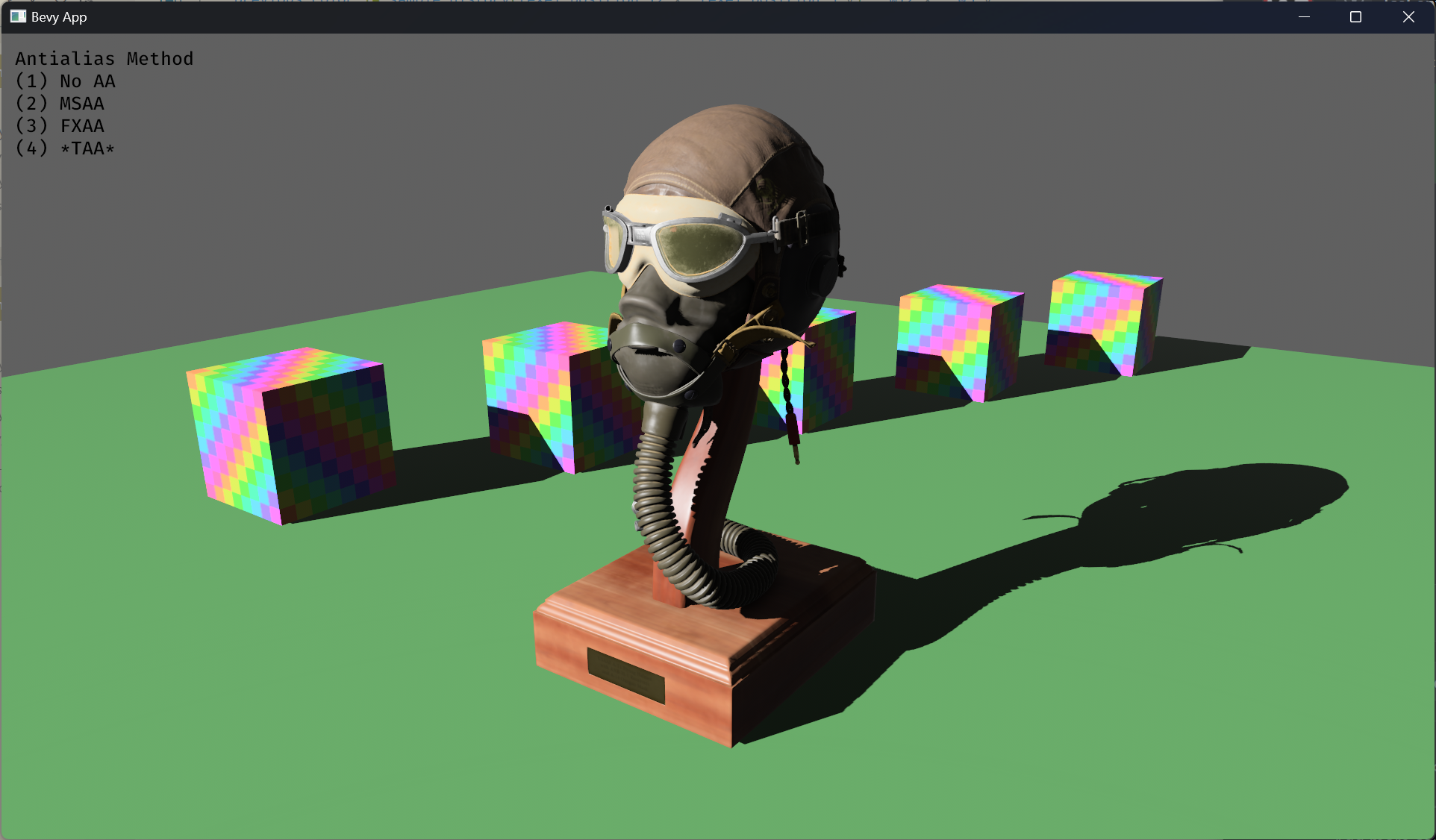 # Objective - Implement an alternative antialias technique - TAA scales based off of view resolution, not geometry complexity - TAA filters textures, firefly pixels, and other aliasing not covered by MSAA - TAA additionally will reduce noise / increase quality in future stochastic rendering techniques - Closes https://github.com/bevyengine/bevy/issues/3663 ## Solution - Add a temporal jitter component - Add a motion vector prepass - Add a TemporalAntialias component and plugin - Combine existing MSAA and FXAA examples and add TAA ## Followup Work - Prepass motion vector support for skinned meshes - Move uniforms needed for motion vectors into a separate bind group, instead of using different bind group layouts - Reuse previous frame's GPU view buffer for motion vectors, instead of recomputing - Mip biasing for sharper textures, and or unjitter texture UVs https://github.com/bevyengine/bevy/issues/7323 - Compute shader for better performance - Investigate FSR techniques - Historical depth based disocclusion tests, for geometry disocclusion - Historical luminance/hue based tests, for shading disocclusion - Pixel "locks" to reduce blending rate / revamp history confidence mechanism - Orthographic camera support for TemporalJitter - Figure out COD's 1-tap bicubic filter --- ## Changelog - Added MotionVectorPrepass and TemporalJitter - Added TemporalAntialiasPlugin, TemporalAntialiasBundle, and TemporalAntialiasSettings --------- Co-authored-by: IceSentry <c.giguere42@gmail.com> Co-authored-by: IceSentry <IceSentry@users.noreply.github.com> Co-authored-by: Robert Swain <robert.swain@gmail.com> Co-authored-by: Daniel Chia <danstryder@gmail.com> Co-authored-by: robtfm <50659922+robtfm@users.noreply.github.com> Co-authored-by: Brandon Dyer <brandondyer64@gmail.com> Co-authored-by: Edgar Geier <geieredgar@gmail.com> |
||
|
Ababwa
|
846b748c6f
|
Dither fix (#7977)
- Fixes #7965 - Code quality improvements. - Removes the unreferenced function `dither` in pbr_functions.wgsl introduced in |
||
|
robtfm
|
6124b20f4b |
use blendstate blend for alphamode::blend (#7899)
# Objective revert combining pipelines for AlphaMode::Blend and AlphaMode::Premultiplied & Add the recent blend state pr changed `AlphaMode::Blend` to use a blend state of `Blend::PREMULTIPLIED_ALPHA_BLENDING`, and recovered the original behaviour by multiplying colour by alpha in the standard material's fragment shader. this had some advantages (specifically it means more material instances can be batched together in future), but this also means that custom materials that specify `AlphaMode::Blend` now get a premultiplied blend state, so they must also multiply colour by alpha. ## Solution revert that combination to preserve 0.9 behaviour for custom materials with AlphaMode::Blend. |
||
|
Kurt Kühnert
|
5ea5ec7518 |
Remove dependency on the mesh struct in the pbr function (#7597)
# Objective Currently, it is quite awkward to use the `pbr` function in a custom shader without binding a mesh bind group. This is because the `pbr` function depends on the `MESH_FLAGS_SHADOW_RECEIVER_BIT` flag. ## Solution I have removed this dependency by adding the flag as a parameter to the `PbrInput` struct. I am not sure if this is the ideal solution since the mesh flag indicates both `MESH_FLAGS_SIGN_DETERMINANT_MODEL_3X3_BIT` and `MESH_FLAGS_SHADOW_RECEIVER_BIT`. The former seems to be unrelated to PBR. Maybe the flag should be split. |
||
|
Griffin
|
912fb58869 |
Initial tonemapping options (#7594)
# Objective Splits tone mapping from https://github.com/bevyengine/bevy/pull/6677 into a separate PR. Address https://github.com/bevyengine/bevy/issues/2264. Adds tone mapping options: - None: Bypasses tonemapping for instances where users want colors output to match those set. - Reinhard - Reinhard Luminance: Bevy's exiting tonemapping - [ACES](https://github.com/TheRealMJP/BakingLab/blob/master/BakingLab/ACES.hlsl) (Fitted version, based on the same implementation that Godot 4 uses) see https://github.com/bevyengine/bevy/issues/2264 - [AgX](https://github.com/sobotka/AgX) - SomewhatBoringDisplayTransform - TonyMcMapface - Blender Filmic This PR also adds support for EXR images so they can be used to compare tonemapping options with reference images. ## Migration Guide - Tonemapping is now an enum with NONE and the various tonemappers. - The DebandDither is now a separate component. Co-authored-by: JMS55 <47158642+JMS55@users.noreply.github.com> |
||
|
JMS55
|
dd4299bcf9 |
EnvironmentMapLight, BRDF Improvements (#7051)
(Before) 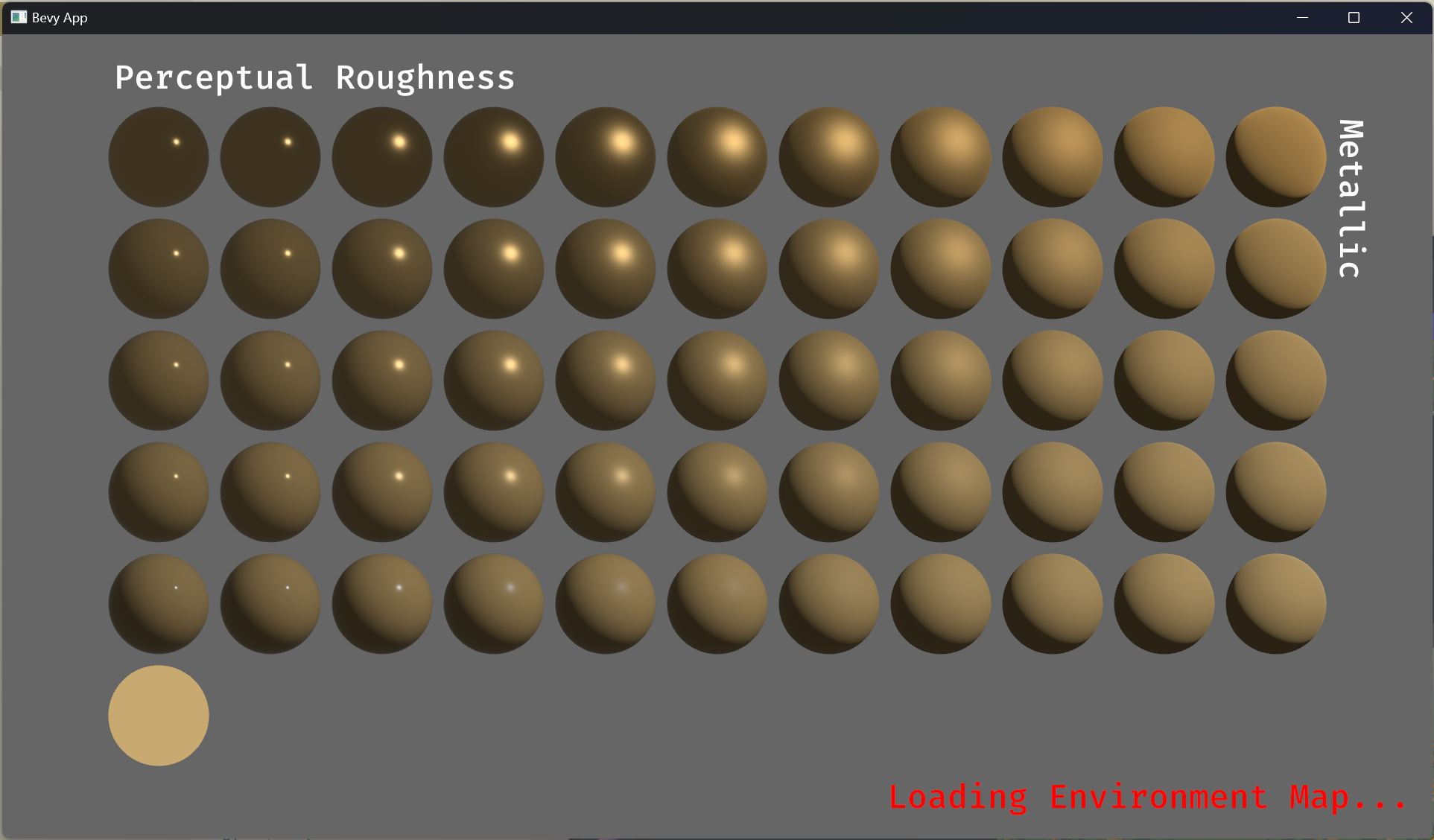 (After) 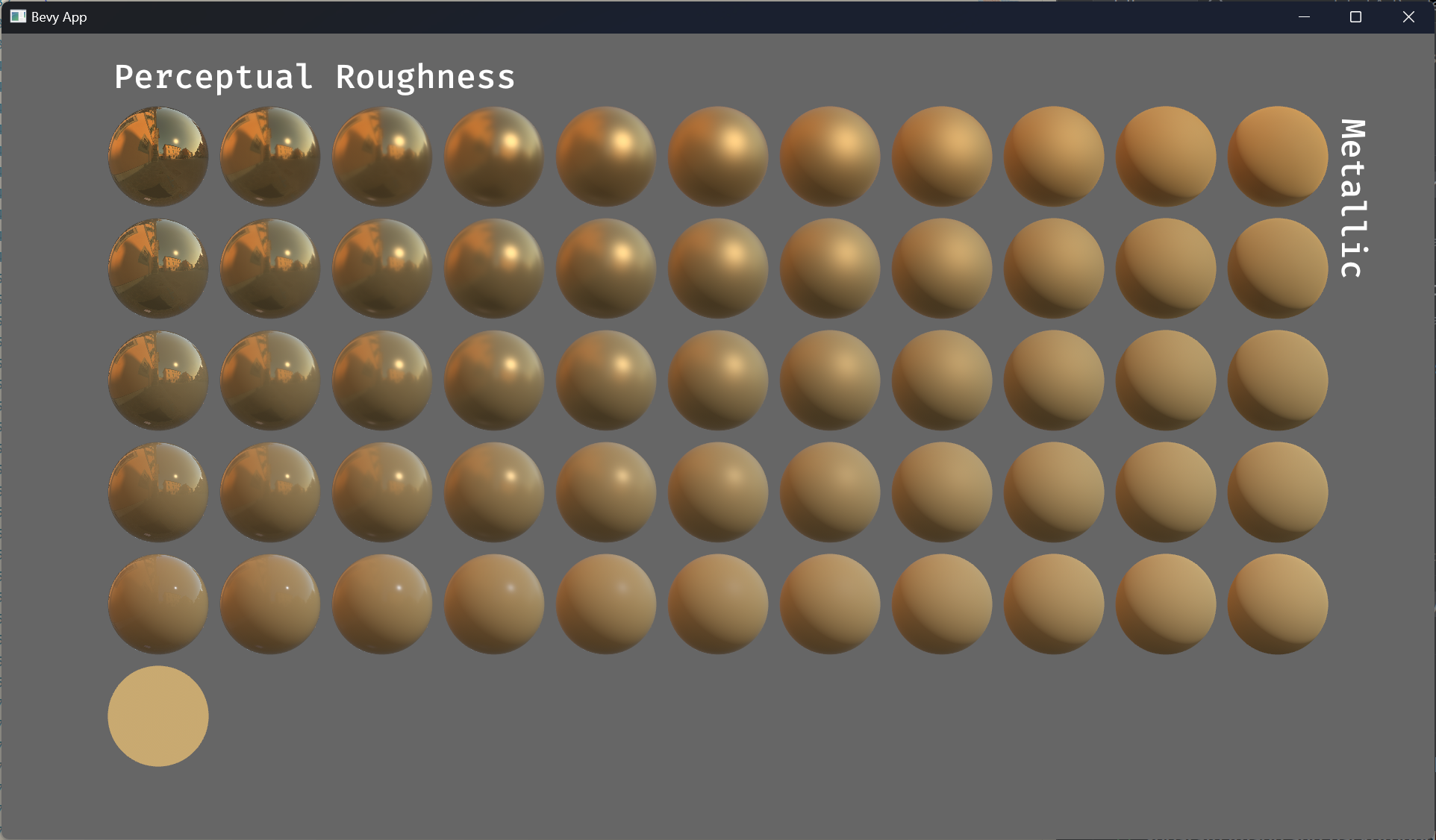 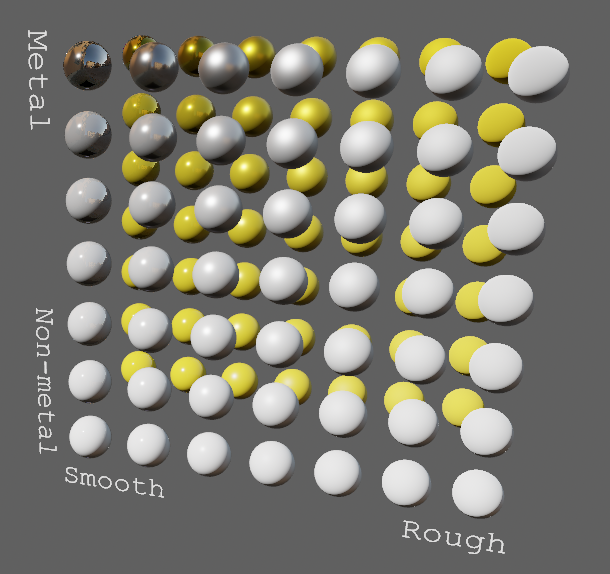 # Objective - Improve lighting; especially reflections. - Closes https://github.com/bevyengine/bevy/issues/4581. ## Solution - Implement environment maps, providing better ambient light. - Add microfacet multibounce approximation for specular highlights from Filament. - Occlusion is no longer incorrectly applied to direct lighting. It now only applies to diffuse indirect light. Unsure if it's also supposed to apply to specular indirect light - the glTF specification just says "indirect light". In the case of ambient occlusion, for instance, that's usually only calculated as diffuse though. For now, I'm choosing to apply this just to indirect diffuse light, and not specular. - Modified the PBR example to use an environment map, and have labels. - Added `FallbackImageCubemap`. ## Implementation - IBL technique references can be found in environment_map.wgsl. - It's more accurate to use a LUT for the scale/bias. Filament has a good reference on generating this LUT. For now, I just used an analytic approximation. - For now, environment maps must first be prefiltered outside of bevy using a 3rd party tool. See the `EnvironmentMap` documentation. - Eventually, we should have our own prefiltering code, so that we can have dynamically changing environment maps, as well as let users drop in an HDR image and use asset preprocessing to create the needed textures using only bevy. --- ## Changelog - Added an `EnvironmentMapLight` camera component that adds additional ambient light to a scene. - StandardMaterials will now appear brighter and more saturated at high roughness, due to internal material changes. This is more physically correct. - Fixed StandardMaterial occlusion being incorrectly applied to direct lighting. - Added `FallbackImageCubemap`. Co-authored-by: IceSentry <c.giguere42@gmail.com> Co-authored-by: James Liu <contact@jamessliu.com> Co-authored-by: Rob Parrett <robparrett@gmail.com> |
||
|
robtfm
|
ea2ecd4f75 |
add ambient lighting hook (#5428)
# Objective add a hook for ambient occlusion to the pbr shader ## Solution add a hook for ambient occlusion to the pbr shader Co-authored-by: atlas dostal <rodol@rivalrebels.com> |





